> ## Documentation Index
> Fetch the complete documentation index at: https://docs.converlens.com/llms.txt
> Use this file to discover all available pages before exploring further.
# Question Bank
# About Question Bank
The Question Bank is a library of shared questions in your workspace. These questions are designed to stay consistent across surveys: once created, the wording and answer options can’t be edited on a per-survey basis. This ensures responses to the same question remain directly comparable.
When you choose to use a Question Bank block in a survey, all responses to that question are automatically included in your workspace’s cross-project data. This allows you to analyse results to the same question across multiple surveys and projects, giving you a reliable way to track trends and compare responses.
# Where to find Question Bank
There are two main places you’ll interact with Question Bank:
## **Adding or converting questions (Build tab)**
When creating or editing a survey, you’ll see Question Bank options in the Build tab. From here you can:
* Add a new question to the Question Bank.
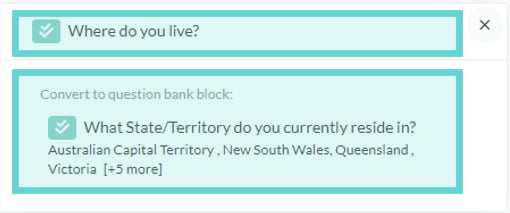
* Convert an existing survey question to match a Question Bank block.
## **Reviewing Question Bank data (Cross-Project Analysis)**
To analyse all responses to Question Bank questions:
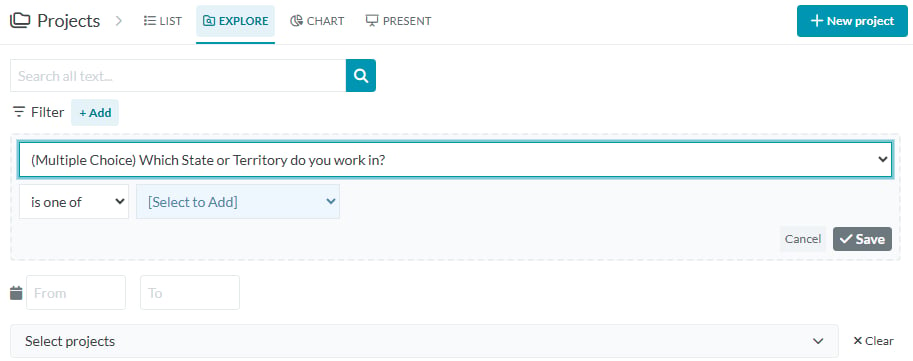
* From your **workspace sidebar**, click into **Projects**.
* Select **Explore** from the project menu, if cross-project Explore is enabled for your workspace.
* Open the **Filter** dropdown, any Question Bank questions used across your surveys will appear here.
This gives you a consolidated view of responses to the same question across multiple surveys and projects.
# How to use Question Bank
## **Add a question to the Question Bank**
1. Create and edit your question block in the Build tab.
2. Save your changes.
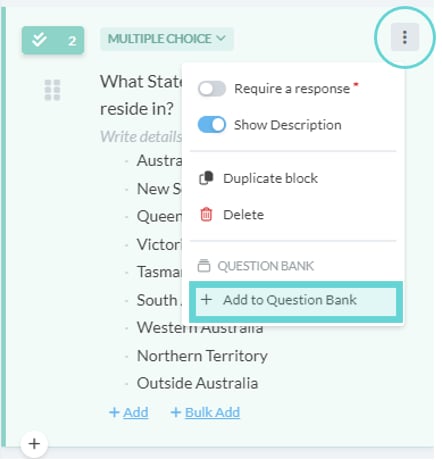
3. Open the block menu (⋮) from the Survey editor panel.
4. Select **+Add to Question Bank**.
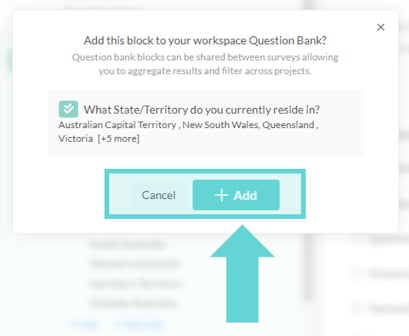
5. In the confirmation pop-up, choose **+Add** to save it to your workspace library, or **Cancel** to keep editing.
**Tip:** The “Add to Question Bank” option will only appear once a block has been saved.
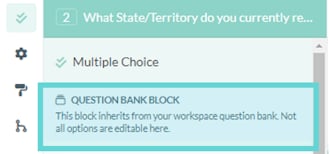
Once confirmed, the block’s settings will display a new section showing it is linked to the Question Bank.
## **Convert a survey question using Question Bank**
You can also convert an existing survey question so it inherits options from a Question Bank block. This is useful when cleaning up or aligning wording and answer options across projects.
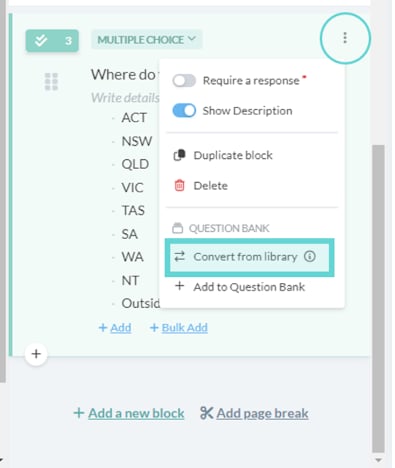
1. In the Build tab, open the question block menu (⋮).
2. Select **Convert from library**.
3. In the confirmation window, select the Question Bank block you want to match.
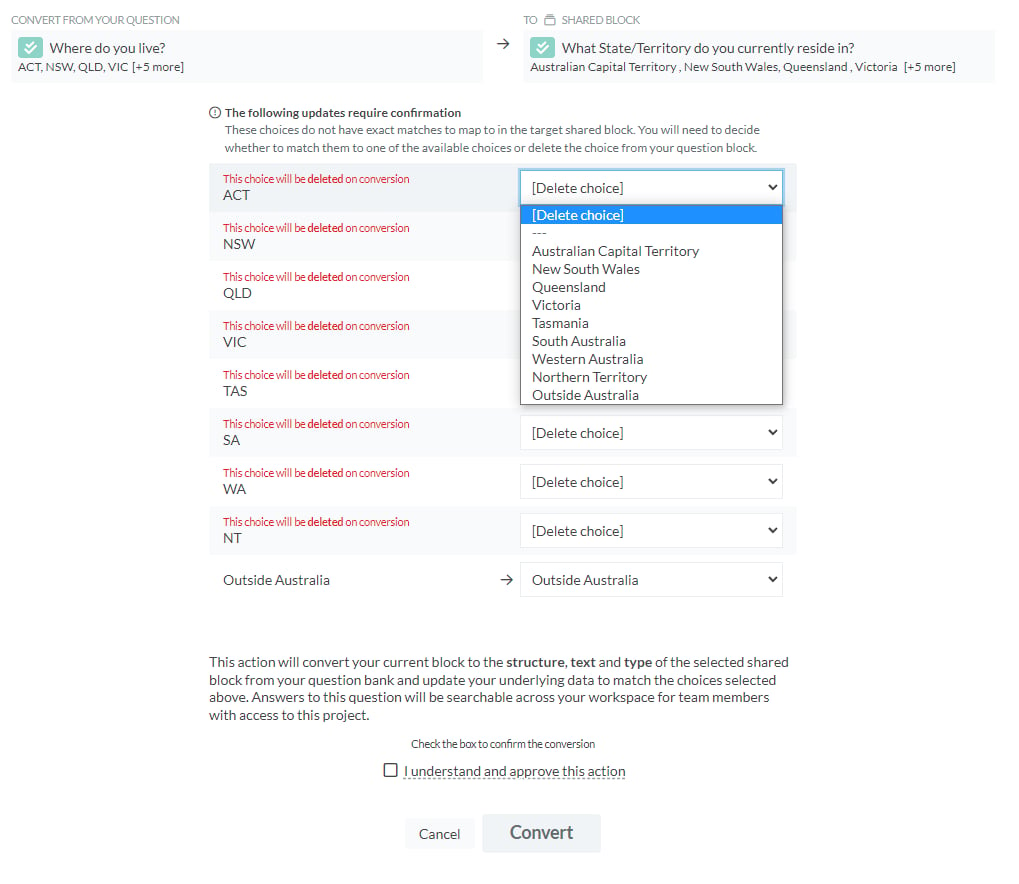
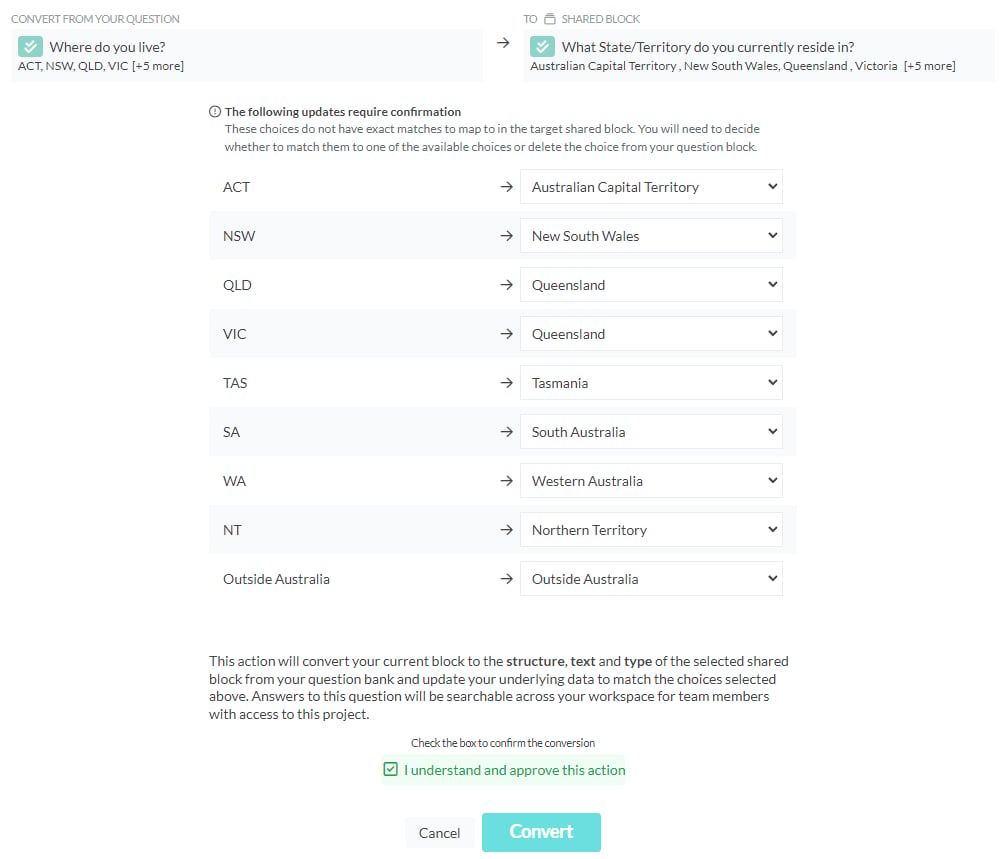
4. Review the answer options:
* If options are identical, they’ll map automatically.
* If options differ, you can merge them (preserving data) or delete them (removing any linked data).
*Example:* If your survey uses “Australian Capital Territory” while the Question Bank version uses “ACT”, you can merge these options to preserve data consistency.
5. Tick **I understand and approve this option**, then select **Convert**.
Once converted, the question will show as a Question Bank block in your survey.
**Tip:** Ensure your workspace has at least one Question Bank block for the Convert from library option to display.
# How to review Question Bank Blocks
After your Question Bank blocks have been used in multiple surveys, you can analyse them together in **Cross-Project Analysis**. This view brings together all responses to the same Question Bank question across projects.
To analyse all responses to Question Bank questions:
* From your **workspace sidebar**, click into **Projects**.
* Select **Explore** from the project menu, if cross-project Explore is enabled for your workspace.
* Open the **Filter** dropdown, any Question Bank questions used across your surveys will appear here.
##