> ## Documentation Index
> Fetch the complete documentation index at: https://docs.converlens.com/llms.txt
> Use this file to discover all available pages before exploring further.
# Navigating Explore
## Landing page
To access the explore page, click the Explore tab in the Project Navigation Bar:
## Navigation
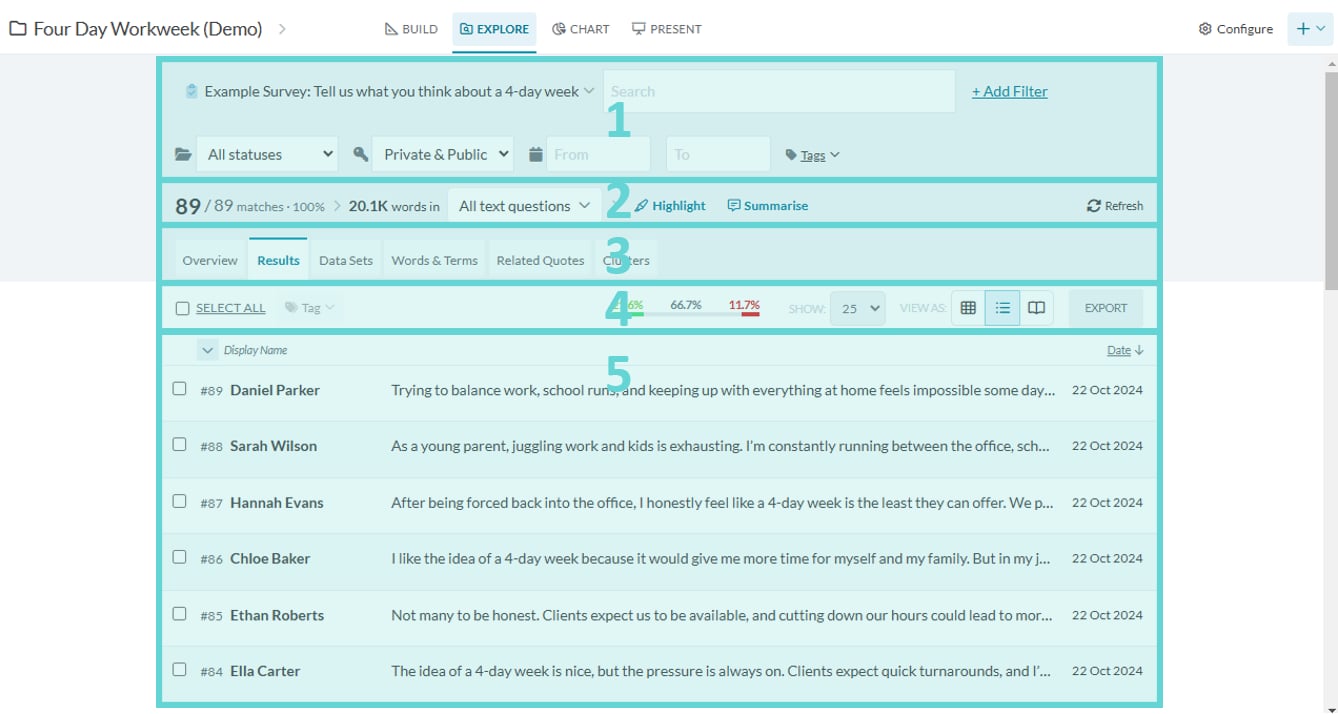
This will show the Explore landing page where you can explore and interact with the results (submissions) of the survey. There are a number of features and functions within this page.
* (1) Search filters: various options to filter and limit results to search
* (2) Results ribbon: number of results, this number will change when search filters are applied
* (3) Navigation tabs: various functions to interact with the survey data and results
* (4) Results action bar: change and edit the results and results view
* (5) Results view: list or table of results
## Navigating between Data Spaces in Explore

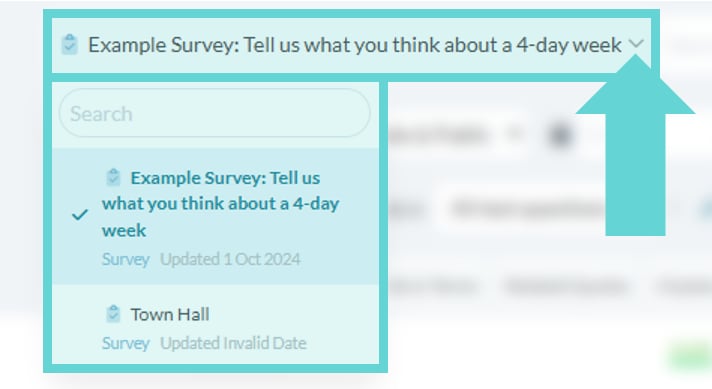 The survey select dropdown appears next to the Search box on the Explore tab when there is more than one survey (data space) in the project. Select the survey required by clicking on the dropdown arrow and selecting the survey (data space) you want to explore: