> ## Documentation Index
> Fetch the complete documentation index at: https://docs.converlens.com/llms.txt
> Use this file to discover all available pages before exploring further.
# Data Sets
# About Data Sets
Data Sets displays quantitative questions from your survey data in labeled bar charts, providing a quick view of the results. Each section includes the question, the response options, and the number of matches for each option, displayed in blue bars with the count on the right-hand side. This visual representation allows for an easy and immediate understanding of the survey data distribution.
Data Sets is designed to give you a quick view of your results. When you're ready to dive deeper and explore detailed analysis or exportable formats, check out the [Chart](/docs/01-03-04-02__chart) data visualisations and [Results Overview](/docs/01-03-04-05-07-03__overview) features.
# Where to find Data Sets
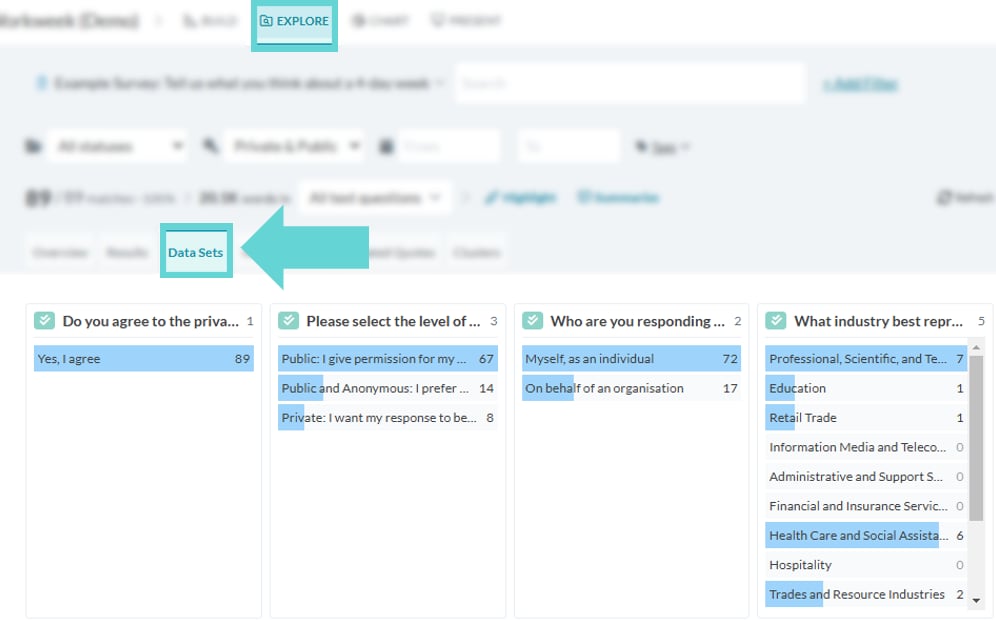
To access Data Sets, navigate to the Explore tab and select “Data Sets” from the Navigation Tabs:
# Data Sets options
## Filtering data set results
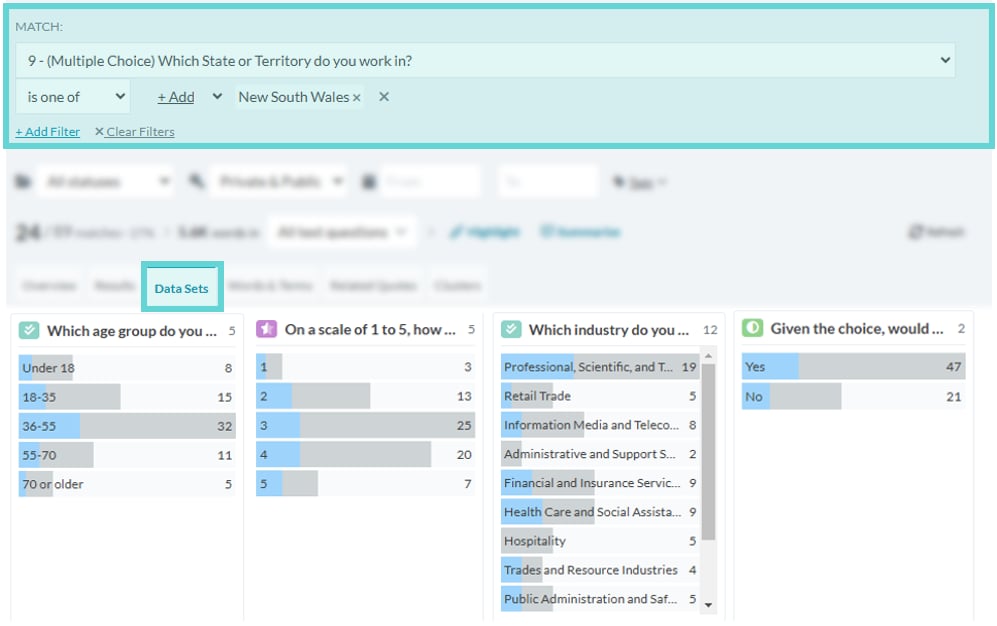 When a filter is applied (see [Search & Filter Data](/docs/01-03-04-05-09__search-filter-data)), Data Sets will visually represent the results that meet the filter criteria. The blue bars will adjust in saturation, with non-matching results appearing greyed out. This means the size of the blue bar will dynamically expand or contract based on the applied filter and the number of matching results. The count displayed on the right will still indicate the total number of results for that option overall, while the blue bar will only reflect the number of results that match the current filter.