

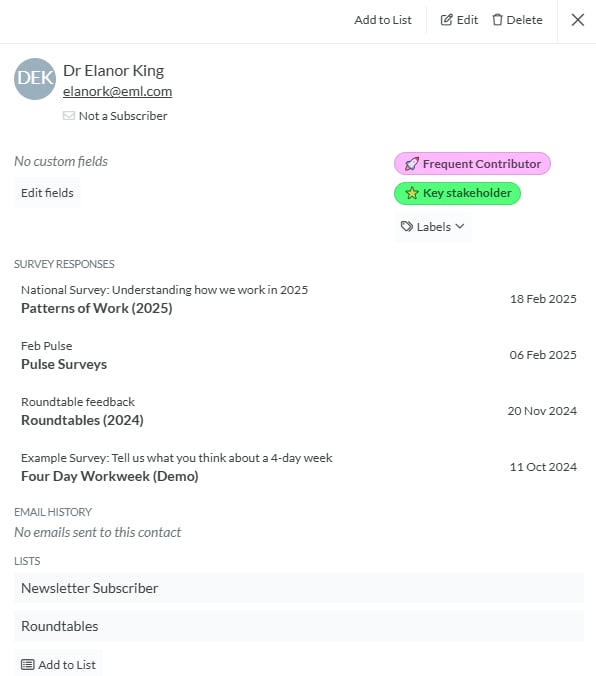
Managing Individual Contacts
When you click on a contact, you’ll be taken to the Contact View, where you can perform the following actions:Contact Management Options
- Add to List: Assign the contact to one or more lists for better organisation.
- Edit: Modify the contact’s details, including their name, email, and custom fields.
- Custom Fields: View any custom fields linked to this contact.
- Labels: Apply or remove labels by selecting from the Labels dropdown.
- Lists: View all lists the contact belongs to. Click Add to List to assign them to additional lists.
- Summarise: Generate a summary when the contact has linked submissions.
- Delete Contact: Permanently remove the contact from your database.
Activities and Tasks
The contact overview shows activities and tasks linked to the contact. You can add a new activity or task from the contact view, and manually created activities and tasks can be opened for editing.Survey Responses
The Survey Responses section displays all responses associated with this contact. Each response is listed with:- Name of Data Space (Survey)
- Project Name
- Date Response Received
Documents
The Documents section shows files linked to the contact.Email History
The Email History section provides a log of all email broadcasts sent to this contact. Each email entry includes:- Message Name (Internal name used in Converlens)
- Message Subject (As seen by the recipient)
- Open and click counts
- Delivery date or delivery status