

About Contacts
Welcome to Contacts. The Contacts section is your central hub for managing and organising stakeholder information. It allows you to:- Store and manage contact details
- Create lists for targeted communication
- Apply labels to categorise contacts
- Customise fields to track relevant information
- View stakeholder engagement history, submissions, tasks and email history
Where to find Contacts
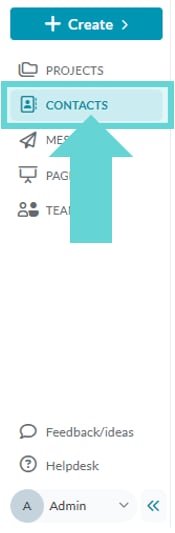
To access Contacts, open the Workspace Sidebar and click Contacts.Contacts Overview
The main Contacts view serves as your home for contact management. From here, you can:- View & search contacts: Locate individual contacts using the search bar and filters.
- Create & manage Lists: Group contacts for better organisation.
- Customise Fields: Define what data is collected for each contact.
- Apply Labels: Categorise contacts without grouping them into lists.
- Add, edit, or delete contacts: Keep your database up to date.
- View Reports: Open contact reports and analytics.
- A history of all engagement responses associated with that email address.
- A record of message broadcasts sent to that email via Converlens Messages.
- Activities, tasks and documents linked to the contact.
Contacts Menu Bar

- Contacts: Returns you to the main Contacts list.
- Reports: Opens contact reports and analytics.
- Lists: Manage contact groupings.
- Fields: Customise data fields for contact records.
- Labels: Apply tags for flexible organisation.
- Import Contacts: Upload contacts from an external source.
- New: Manually create a contact, activity or task.