

Before you can start using Converlens, you need an account and access to a workspace. This page details how workspace admins can add team members, how new users can log in, and where to find common login troubleshooting guidance.

Creating an account

To create an account you will need to be a workspace admin, or contact your organisation’s workspace admin to create a new account for you.

Workspace Admin: Adding a new team member

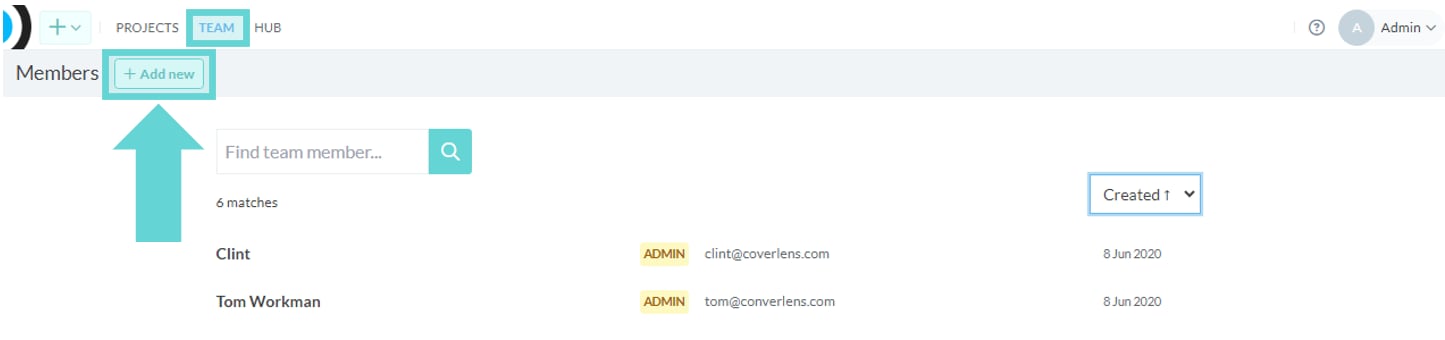
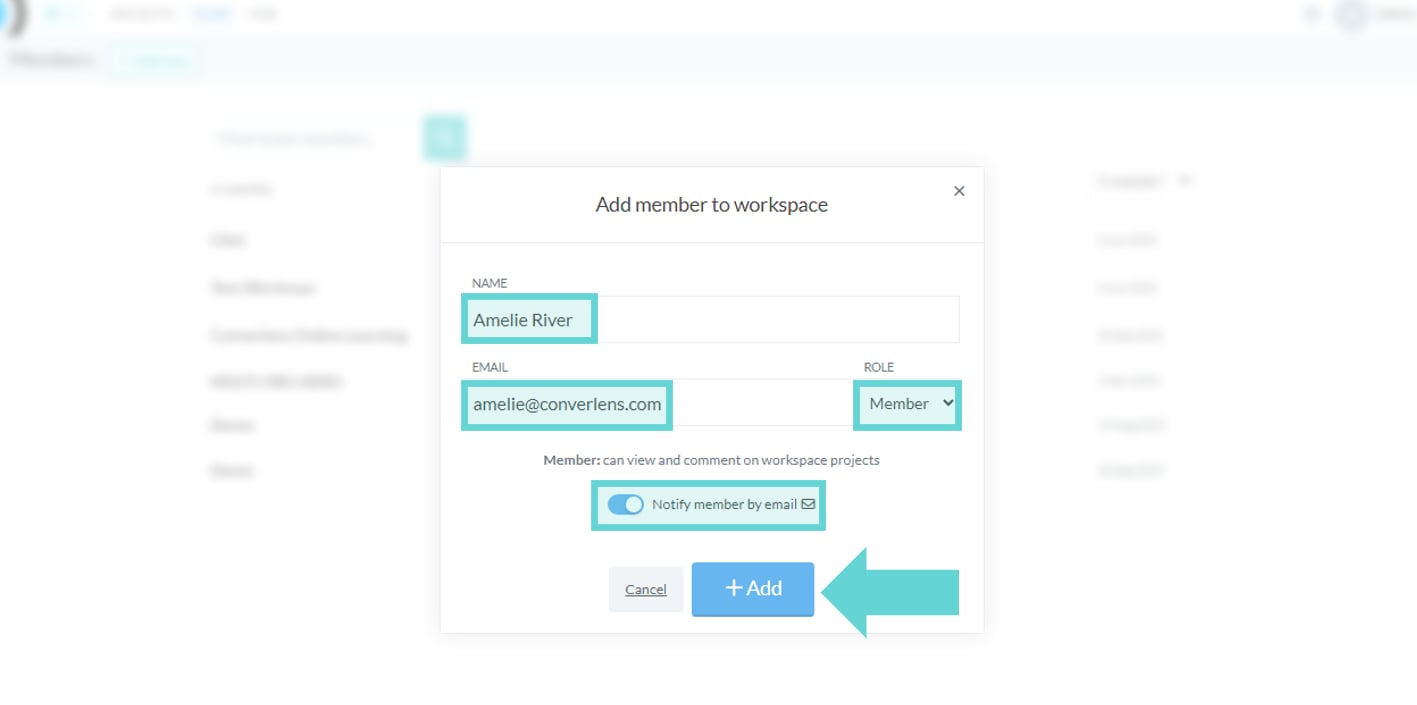
From the Workspace Sidebar, open Team and then click Add member. Getting set-up with Converlens screenshot: From the Global Menu Click the “Team” link and then click the “Add New” button. Getting set-up with Converlens screenshot: From the Global Menu Click the “Team” link and then click the “Add New” button. You can also opt to send the new team member a notification email or switch this off. Enter the required details and, when confirmed, click Add to add the new member to the team. Workspace admins can update team access later from the Team page. Project-specific access can also be managed from a project’s Members settings.
Managing access

For more information on adding, editing and removing workspace members please see Team. For project-specific access, see Members.