About Question Bank
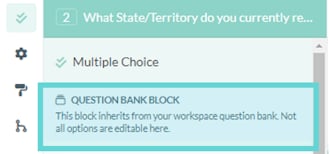
The Question Bank is a library of shared questions in your workspace. These questions are designed to stay consistent across surveys: once created, the wording and answer options can’t be edited on a per-survey basis. This ensures responses to the same question remain directly comparable. When you choose to use a Question Bank block in a survey, all responses to that question are automatically included in your workspace’s cross-project data. This allows you to analyse results to the same question across multiple surveys and projects, giving you a reliable way to track trends and compare responses.Where to find Question Bank
There are two main places you’ll interact with Question Bank:Adding or converting questions (Build tab)
When creating or editing a survey, you’ll see Question Bank options in the Build tab. From here you can:- Add a new question to the Question Bank.
- Convert an existing survey question to match a Question Bank block.
Reviewing Question Bank data (Cross-Project Analysis)
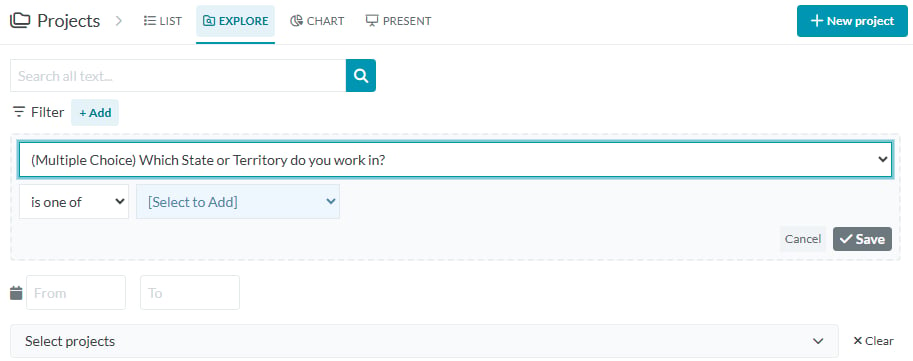
To analyse all responses to Question Bank questions:- From your workspace sidebar, click into Projects.
- Select Explore from the project menu, if cross-project Explore is enabled for your workspace.
- Open the Filter dropdown, any Question Bank questions used across your surveys will appear here.
How to use Question Bank
Add a question to the Question Bank
- Create and edit your question block in the Build tab.
- Save your changes.
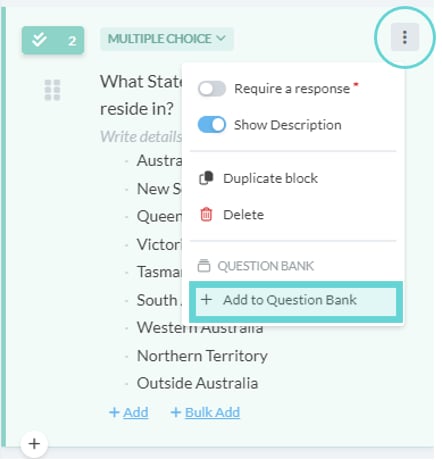
- Open the block menu (⋮) from the Survey editor panel.
- Select +Add to Question Bank.
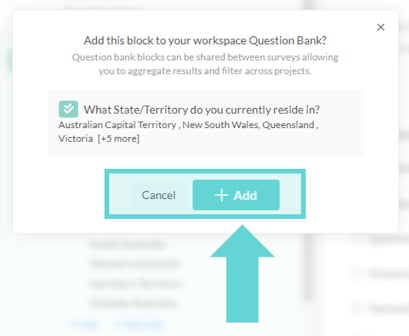
- In the confirmation pop-up, choose +Add to save it to your workspace library, or Cancel to keep editing.
Convert a survey question using Question Bank
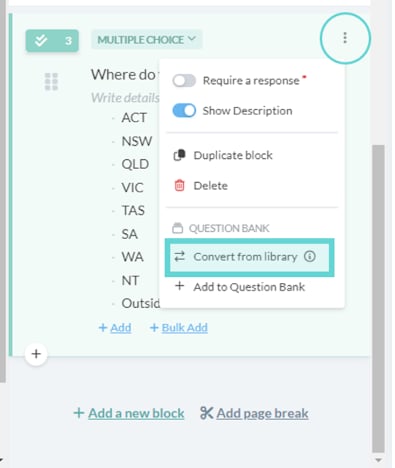
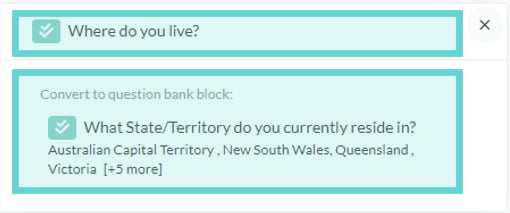
You can also convert an existing survey question so it inherits options from a Question Bank block. This is useful when cleaning up or aligning wording and answer options across projects.- In the Build tab, open the question block menu (⋮).
- Select Convert from library.
- In the confirmation window, select the Question Bank block you want to match.
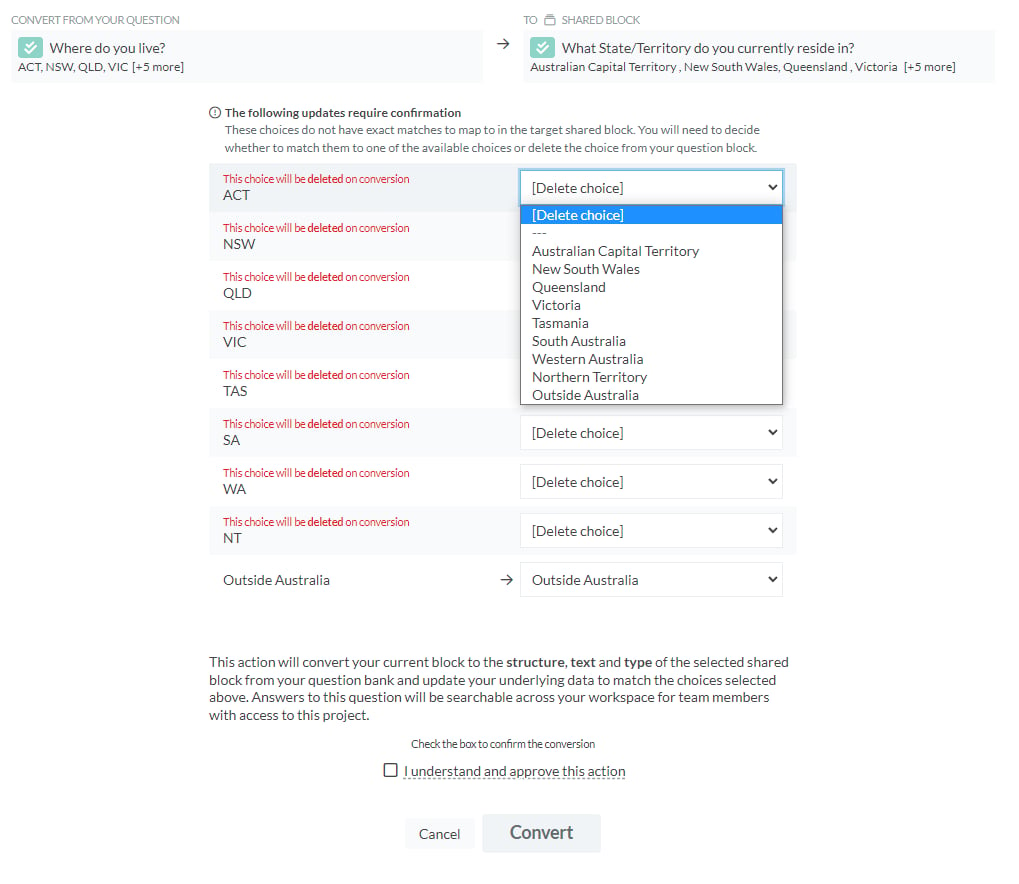
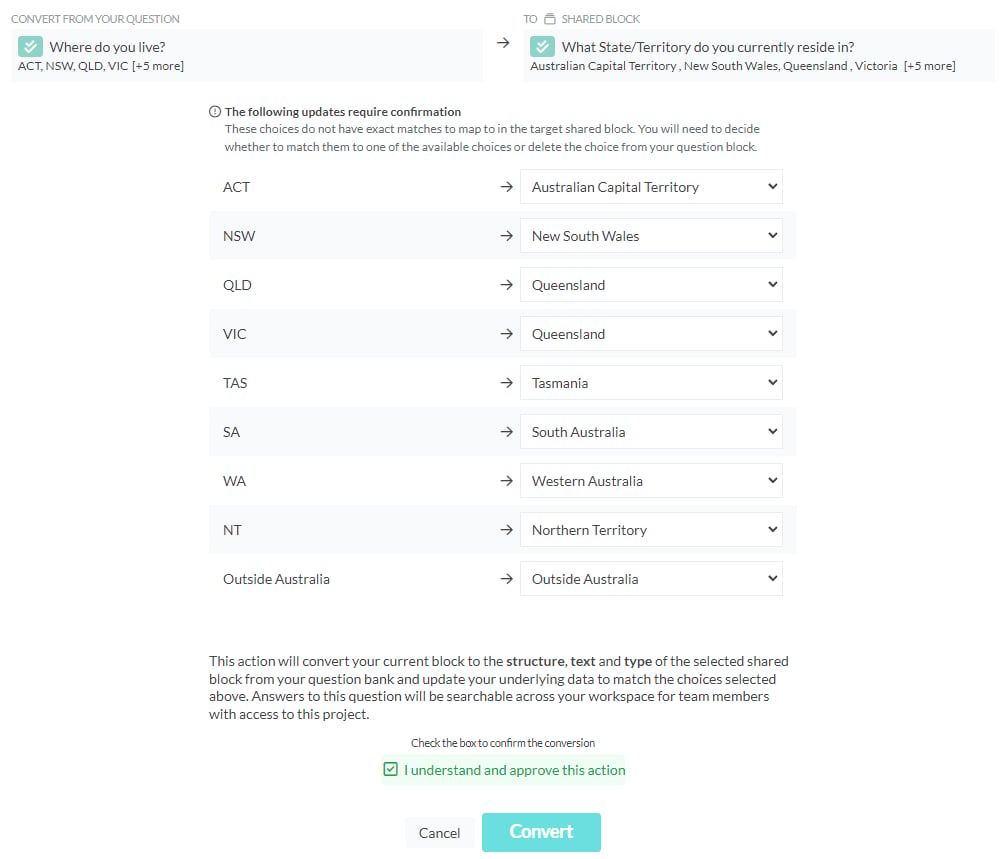
- Review the answer options:
- If options are identical, they’ll map automatically.
- If options differ, you can merge them (preserving data) or delete them (removing any linked data).
- Tick I understand and approve this option, then select Convert.
How to review Question Bank Blocks
After your Question Bank blocks have been used in multiple surveys, you can analyse them together in Cross-Project Analysis. This view brings together all responses to the same Question Bank question across projects. To analyse all responses to Question Bank questions:- From your workspace sidebar, click into Projects.
- Select Explore from the project menu, if cross-project Explore is enabled for your workspace.
- Open the Filter dropdown, any Question Bank questions used across your surveys will appear here.