

Where to find Present
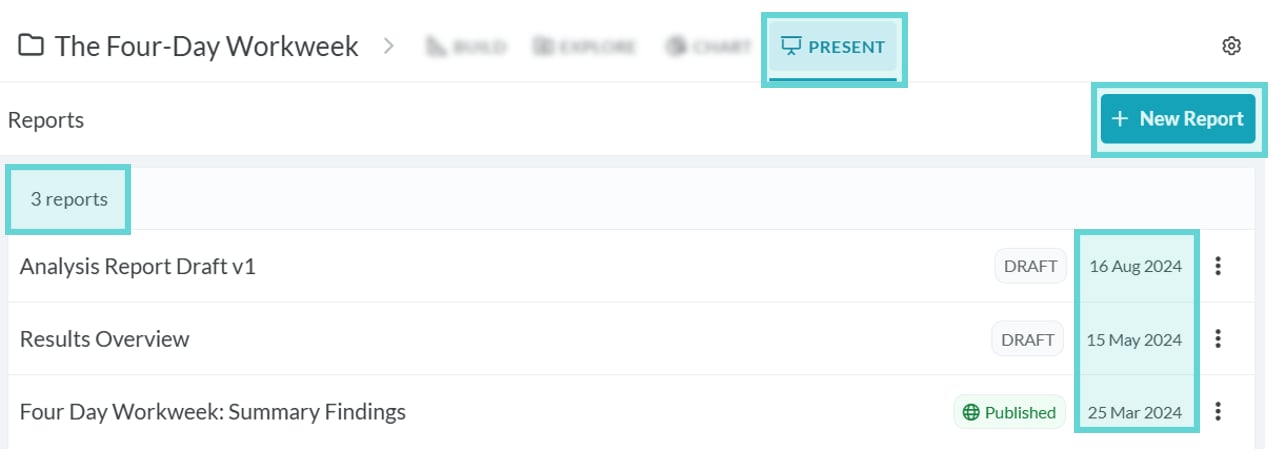
To access the Present page, click the Present tab in the Project Navigation Bar:Present Menu
Clicking on the Present tab will open the Present Menu. For detailed information about using the options in this menu see Present Menu. The Present menu shows the count of the number of reports created for that project, alongside a list of all the reports created by title, with the most recently created report on top. From this menu you can select the report you would like to edit or create a new report by clicking on the +New Report button. Opening an existing report or creating a new report will open the Report Builder page which is further detailed below.Present Composer

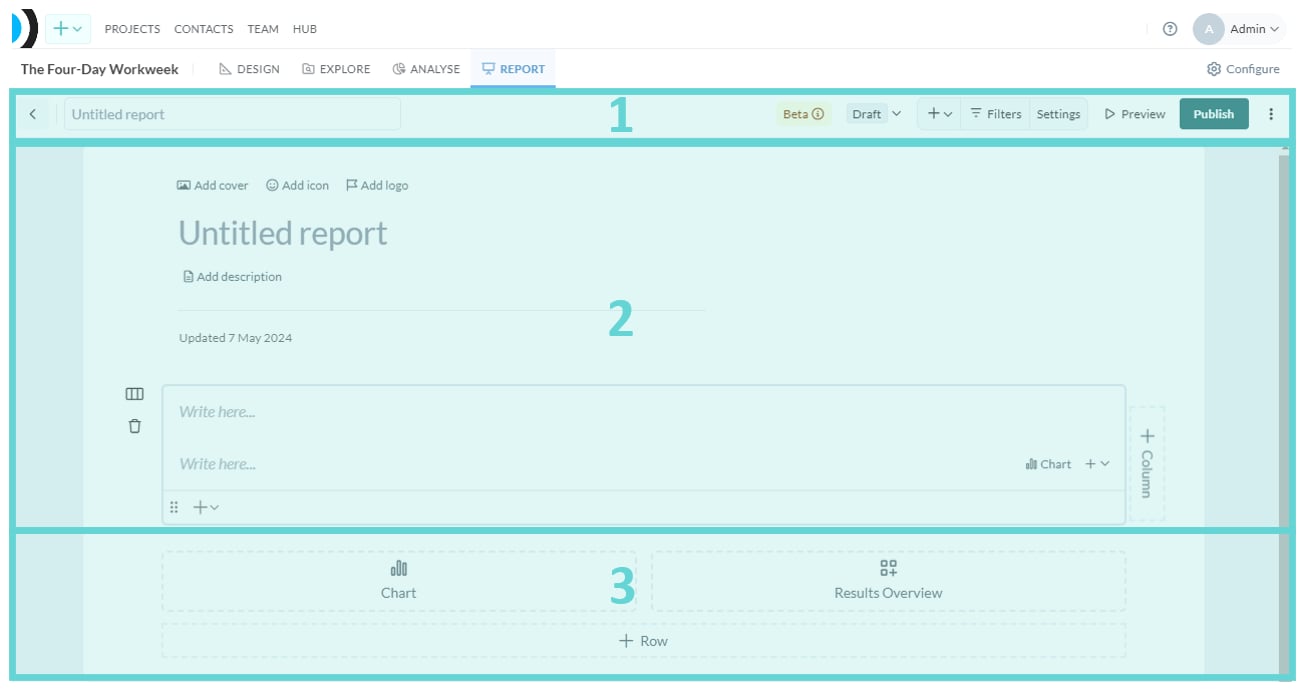

- (1) Present toolbar: Interact and change report settings, status, title, and preview your report.
- (2) Present editor: The staging area for building your report. Add content here.
- (3) Present widgets: The building blocks available for your report, pull your data directly in.