

Summarise
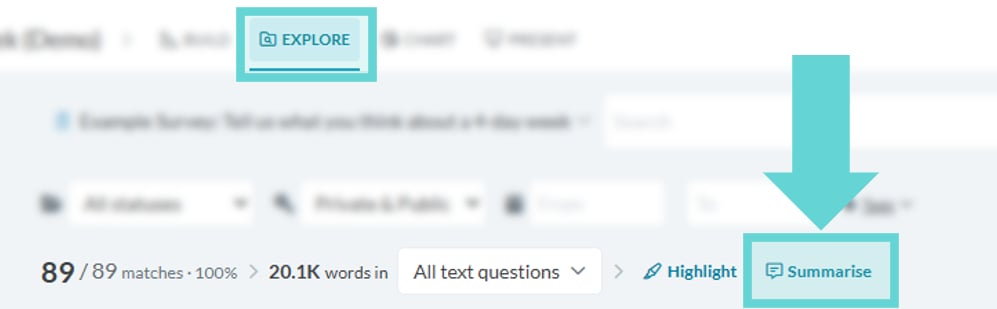
To access Summarise, open the Explore tab from the Project Bar. Click the Summarise button to open the Summarise interface, if available for your workspace. Summaries are created using Generative AI. Always check important information. Read more about our data security and privacy when using Generative AI in Converlens. Note: You will need project access that allows you to view and comment on responses to access Summarise. For more information about roles and permissions see Roles and permissions.Insights
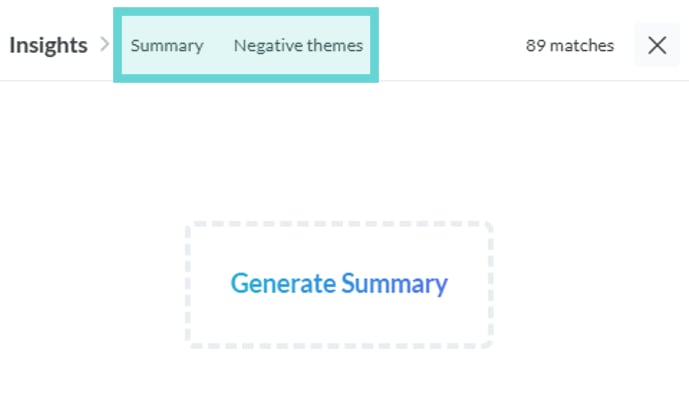
Summary
Select the Summary tab to generate a general summary of topics discussed in your data. This provides an overarching view of key themes.Negative Themes
Generating a Summary
Tip: Summarise adapts to the Filters and Text Limits applied in the Explore tab, enabling you to create focused summaries based on specific response criteria. Use these tools to refine your insights and explore your text data in greater detail. For guidance, refer to the Filters and Text Limits sections in the Explore tab documentation.Generate Summary
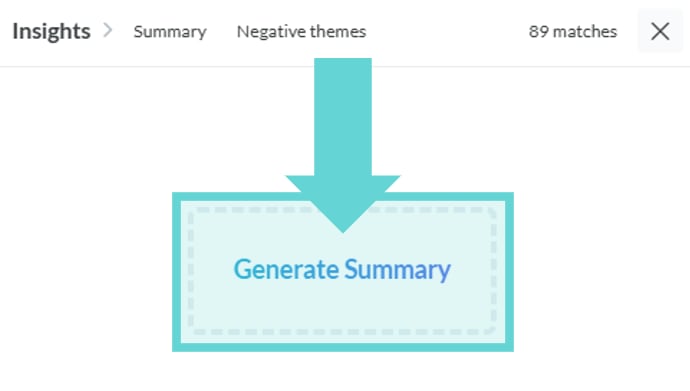
- When you first open Summarise, select the Insight tab you want to generate a summary for and click Generate Summary to produce a summary of your data.
- If a summary already exists, scroll to the bottom and click Regenerate to create a new one.
Stop Generating
- Whilst a summary is generating, click the Stop tab or button to halt the process.
Summary options
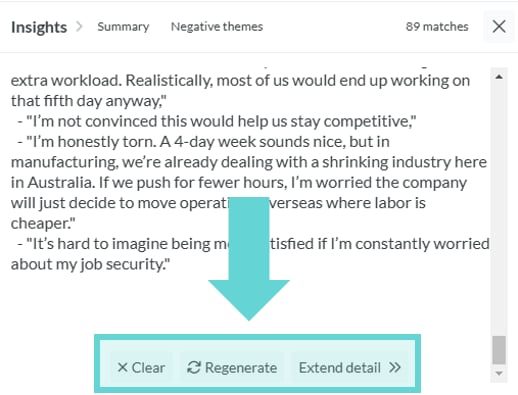
After generating a summary, additional options appear at the bottom of the summary:Clear
- Once a summary has been generated, click Clear to reset and remove the current summary.
Regenerate
- After generating a summary, click Regenerate to rerun the summarisation process and refresh the results.
Extend Detail
- Use the Extend Detail option to add additional topics or expand upon the generated summary.
Each time you generate a summary, it starts fresh and does not build on previous versions. At present, summaries cannot be exported or sent directly into a report. If you’d like to keep a copy of a summary, you’ll need to manually copy and paste it into your chosen location.
Security and privacy
All AI processing in Converlens is integrated into and operates exclusively within our product infrastructure, under the same strict data privacy and security guarantees as the rest of your workspace data processing. This means, your data remains your data, nothing is shared or sent outside of your workspace, and everything remains in your regional location and jurisdiction within our product infrastructure for all usage of our Generative AI services.Key commitments

- Your data belongs to you: The content generated from your Customer Data by our Generative AI services is also considered Customer Data, and is treated with the same jurisdictional, privacy and security controls as all of your Customer Data.
- Custody and access to your data: Your data remains in our (Converlens) custody at every step. All processing happens within your Converlens workspace within our product infrastructure, and is never sent to, shared with, or stored by any other 3rd-parties. Converlens will not and cannot look at your Customer Data without a legitimate need to support your use of the service.
- Location and jurisdiction of your data: Your data is always stored and processed in the location and jurisdiction of your workspace. We never process your Customer Data outside of your selected jurisdiction, and that includes for any Generative AI processing. For example if your workspace is in Australia, all data is stored and processed in Australia.
- Your data is not used to train models: None of your data is ever used to train AI models, and your data remains private and is not shared with any training corpus.